
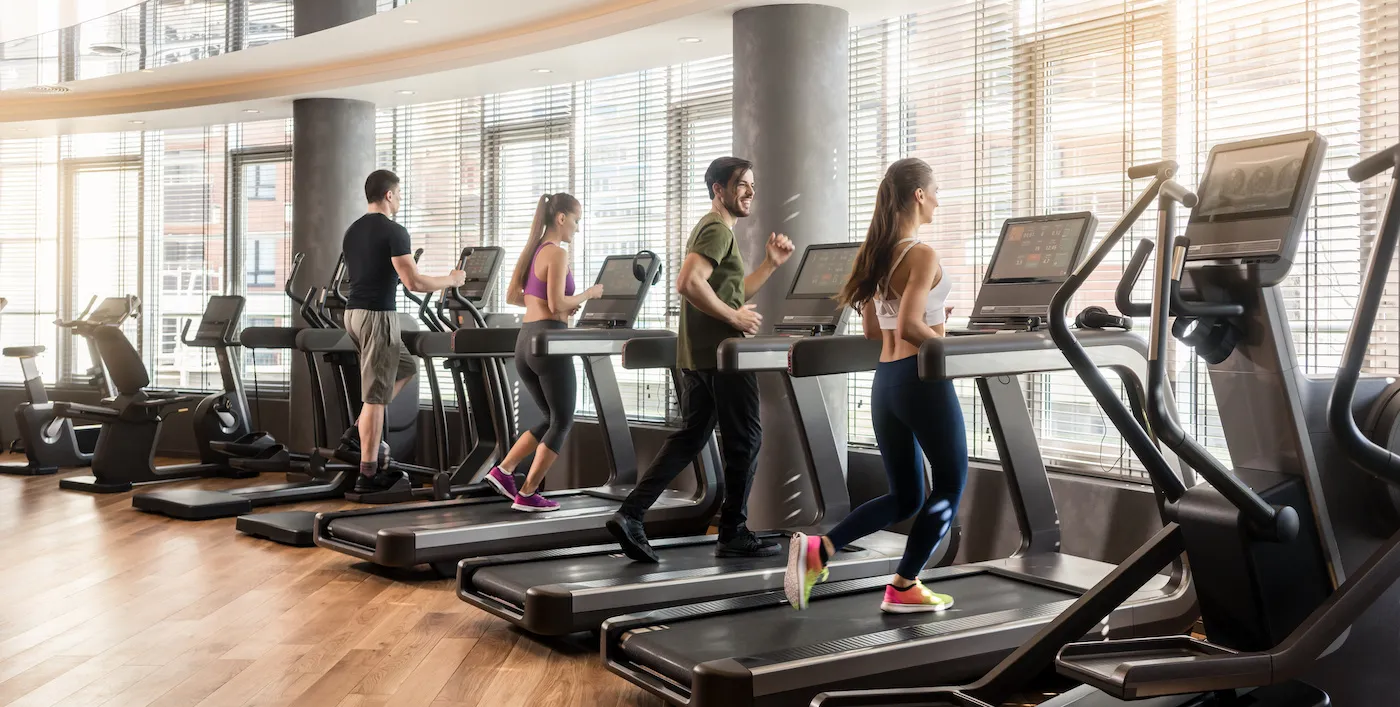
Digital gym membership card and access control
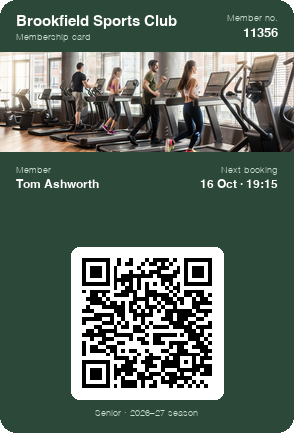
Each member's pass sits in their Apple Wallet or Google Wallet. At reception, any phone reads the QR code and shows straight away whether they can come in.
Works natively on iPhone and Android, with no app to install
Gym access control with a digital card works like this: every member keeps their card in Apple Wallet or Google Wallet, and at the entrance someone on the team reads its QR code with a phone. The member's identity page opens with their photo, their membership type and the date they have paid up to. With Idenge you set it up without turnstiles or card readers, whether you run a gym, a padel or tennis club, a golf course or any facility with members.
Access control problems in gyms and sports centers
The fob or card left at home
A member turns up at seven in the morning without their card, and reception has to look them up on the computer while the queue waits.
Expired memberships still getting in
If this month's payment hasn't gone through, nobody at the door knows: a plastic card says the same thing on the 1st as on the 30th.
One membership, two people
With no photo and no check, the card gets passed between friends or family and the centre loses the second person's fee.
A turnstile system for a small venue
A turnstile with a reader is a big outlay for a four-court padel club or a pilates studio, and you still have to print the cards.
Plastic card vs digital gym membership card
| Card or wristband | Idenge digital card | |
|---|---|---|
| Checking membership at the door | Look at the card or search for the member on the computer | Read the QR code with a phone: validity and photo on screen |
| Membership expires | The card doesn't change: someone has to remember | You change the date in the dashboard and the card shows it instantly |
| Member loses it | A new card and another cost | It lives on their phone, which nobody leaves at home |
| Kit for the door | Readers or turnstiles, and their installation | The reception phone or tablet |
| Getting started | An order of cards and readers | Free for up to 20 cards, starting today |
How to set up access control for your gym in four steps
- 1
Design the membership card
Add the centre's logo and choose the fields: member number, membership type (off-peak, full, padel) and the date it is paid up to.
- 2
Sign members up at reception
A new member scans the sign-up QR code on the desk and fills in their details on their own phone. Existing members go in at once with the CSV you export from your management software.
- 3
Each member saves it on their phone
They get the card by email and add it to Apple Wallet or Google Wallet. No gym app to download and no password to remember.
- 4
Check at the door and send alerts from the dashboard
Reception reads the QR code with the centre's phone. From the dashboard you change the expiry date when a payment comes in and send alerts to everyone or just to one membership type.
Digital membership card features for sports facility access
A QR code that confirms the membership
Reading the QR code opens the member's identity page with their photo and current details. If the expiry field says the membership ran out on the 5th, the door sees it on the 6th.
An expiry date that updates on the phone
When you record a payment, you change the date in the dashboard and the member's card updates. Through the API, your billing software can do it as soon as the fee comes in.
Alerts at the right moment
A cancelled class, the pool closed for maintenance or a free court at lunchtime: the alert arrives as a card notification, and it can pop up as the member gets near the centre.
Sample campaign
Marketing campaigns for gyms and padel clubs from the member's card
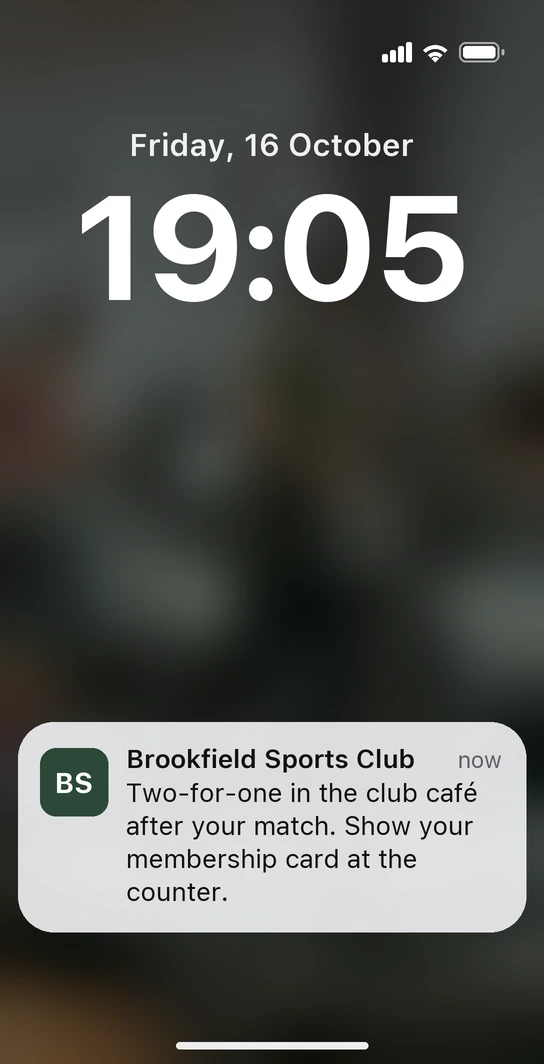
Friday, seven in the evening. Tom arrives at the club for his match and, as he walks towards the courts, his phone lights up: “Two-for-one in the club café after your match. Show your membership card at the counter.” He hasn't opened an app or joined a mailing list: the message comes from the card already in his wallet, and you scheduled it from the dashboard to appear right there, at the time you most want to fill the café.
-
Empty courts at lunchtime
Between two and five the courts sit empty. You let the members who usually play in the evening know that a court costs less at that time, and the price for that slot goes in a card field you can change whenever you like.
-
A new class, for the people it suits
You open a Tuesday 9 a.m. pilates group. The alert goes only to off-peak members and, while places are left, the card shows how many.
Nothing to print and nothing to keep count of: a well-timed message in the right place, and a card that keeps itself up to date. The same card that gets members onto the courts is the channel that fills the café.
Sports centers already checking members in with Idenge



Idenge has made managing our members' cards as easy as it gets. It saves us printing and shipping cards, and it saves our time too. Lost or expired cards are no longer a problem: everyone carries it on their phone, always up to date, and can show it whenever asked. We can also communicate with them through the digital card and personalise it every year with minimal effort.
Our experience with IDenge has been fantastic from day one. We needed a virtual membership card solution for our paddle club and the solution they offer is simple, fast and, at the same time, fulfilled everything we were looking for. Since then, we can register new partners in less than 1 minute and edit the fields we want with just one click. Highly recommended.
How much does gym access control with a digital card cost?
There are no readers to buy and nothing to install: you pay for the cards. You start free for up to 20, with no expiry date and no credit card, to try it with your team and a few members. Once you go past 20, plans start from €8.99/month for 100 cards, which also cover the first 20, with no lock-in. You sign up and run it yourself: no demos, no quotes. Every tier is in Idenge pricing.
Frequently asked questions
No. Idenge doesn't integrate with turnstiles or door readers. Access is checked by reading the card's QR code with a phone or tablet at reception. If your centre needs the turnstile to open on its own, Idenge doesn't cover that part today.
It doesn't handle court bookings, class timetables or payments. It's the member's card: it identifies them at the door, shows their details up to date and lets you message them. It sits alongside your management software: you import members as a CSV or connect it through the API.
No. The card is saved to Apple Wallet on an iPhone or Google Wallet on an Android, both already on the phone. At the door they open it from the wallet, just like a boarding pass.
The card carries an expiry field, for example “Paid up to 30 November”. When the QR code is read, the identity page shows that date and the photo. When the payment comes in you change it in the dashboard, or your billing software changes it through the API.
Yes. Whoever opens the court or the coach on duty just needs a phone with a camera. They read the QR code by the court or in the clubhouse, with no desk and no reader.
Free for up to 20 cards, with no expiry date and no credit card. Every member signed up has a card, whether they have installed it or not, and the 100-card plan starts from €8.99 a month, with no lock-in.
Your centre's front desk, without plastic cards
Design the membership card this afternoon, sign up your morning members and check them in at the door with a phone tomorrow. Start free for up to 20 cards, with no expiry date and no credit card. When you want to grow, Idenge pricing is all there to see.
Start free with up to 20 cardsMore than 1,000 cards, or would you rather talk it through? Talk to us
Other use cases