
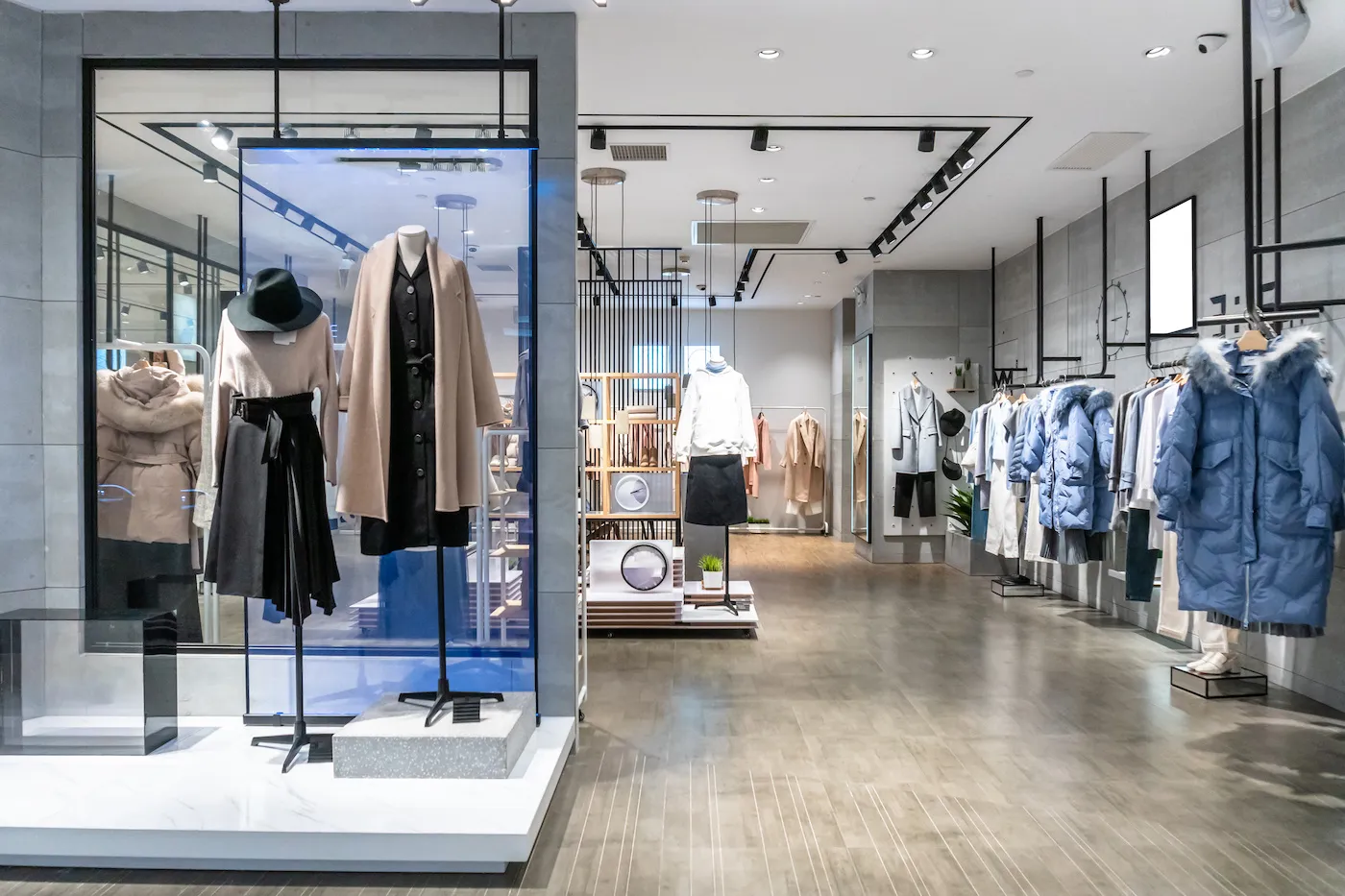
Digital loyalty card for small business and retail stores
Your shop's customer card in your shoppers' Apple Wallet or Google Wallet: they sign up at the counter, get recognised at the till and hear about your offers as they walk past.
Works natively on iPhone and Android, with no app to install
A digital loyalty card for small business is a shop's customer card stored in the customer's mobile wallet (Apple Wallet or Google Wallet) rather than in their purse or wallet: it identifies them at the till with its code, shows the current offers and discounts, and lets the shop tell them what is new, including when they walk past the window. With Idenge, a shop gets it up and running with a QR code on the counter and without building any app.
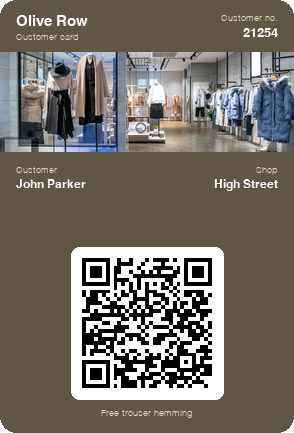
See on your phone the card your customers would have
In a few seconds you save a sample card to your wallet, the same experience as anyone who signs up at your counter. To create your shop's own, open an account: it is free for up to 20 cards, with no expiry date, every feature included and no credit card; you start today, without talking to anyone.
Create your shop's card for free
Scan the code with your phone camera and the sample card will be added to your wallet.
You are on your phone: tap your wallet button and the sample card will be added for you.


With Apple Wallet and Google Wallet there is no app to install. On Android, the card also works with the PassWallet app.
Problems with plastic loyalty cards in retail stores
Customers buy and vanish
They go through the till, pay and leave: the shop does not know who they are and has no way of telling them when the new collection arrives.
The loyalty card left at home
The plastic card is never in their purse or wallet on the day it is needed, and at the till you either look the customer up by phone number or forget about the discount.
Offers nobody sees in time
The poster in the window reaches people who are already passing the door, and the offers email arrives while the customer is busy with something else.
Discounts change, the card does not
The sales, the offer of the week, the new season: a printed plastic card cannot tell your customers any of it.
Plastic customer card vs digital loyalty card for your shop
| Plastic card | Idenge digital card | |
|---|---|---|
| Joining | A paper form and a card a few days later | A QR code on the counter and the card there and then |
| Offer of the week | A poster in the window | On the card, up to date, with a notification |
| Knowing who buys | Nothing, unless they show the card | Their name and email from the counter sign-up |
| At the till | Looking the customer up if they forgot it | They show it on their phone and the code is scanned |
| Getting started | A print run of cards | Free for up to 20 cards, no minimum order |
How to create a digital loyalty card for your small business in four steps
- 1
Design your shop's card
Logo, colours and the fields you need: customer name and number, the offer of the week and the code your till will read.
- 2
A sign-up QR code on the counter
Put the QR code on the counter, on the bag or on the receipt: customers sign up on their phone while you ring up the sale.
- 3
Customers take it home on their phone
They finish signing up and add it to Apple Wallet or Google Wallet in two taps; the next time they buy, they show it at the till.
- 4
Change offers and send notifications from the dashboard
Update the offer of the week on every card at once and send notifications to all your customers.
Digital loyalty card features for retail stores
Alerts as customers pass your shop window
Set your shop's location and the card shows your message when the customer is close by: the offer reaches them while they can still step inside and make the most of it.
Offers by notification
A notification on your customers' phone screens for the sales, the new season or a Sunday opening, without relying on email or social media.
Discounts that change the same day
The current offer or discount sits in a field on the card: you change it from the dashboard and it updates on every phone instantly.
Sample campaign
Campaigns for your shop from the digital customer card
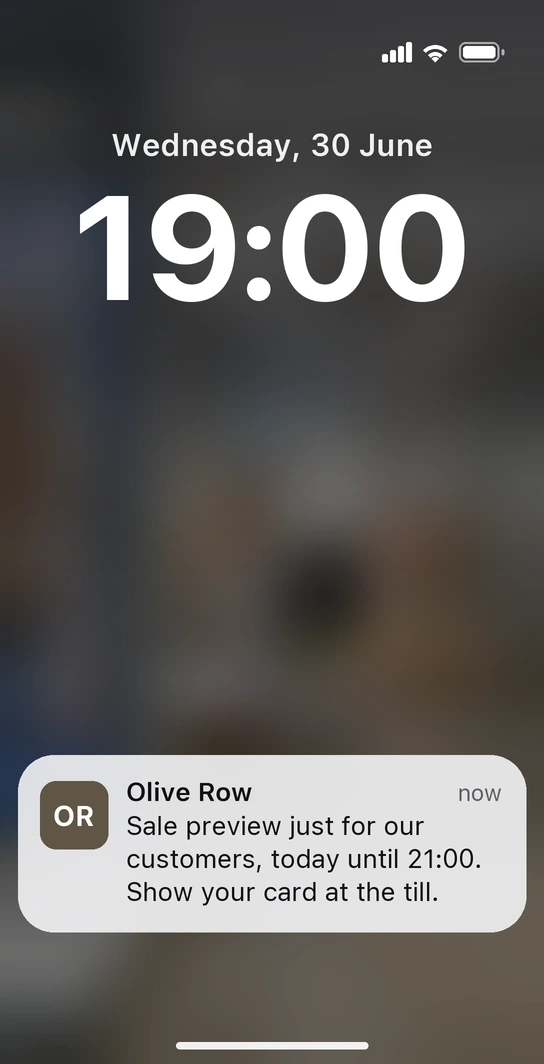
The eve of the summer sale, seven in the evening. John leaves work and, as he walks past the shop window, his phone lights up: “Sale preview just for our customers, today until 21:00. Show your card at the till.” He has not installed any app: the notification comes from the Olive Row card he has kept in his wallet since he signed up at the counter, and you placed it at the shop door for the evening of the preview. The discount is written in a field on the card; at the till he shows it and pays the sale price a day before everyone else.
-
The new season, on the card itself
When the new season's clothes arrive, you swap the card's image for one from the collection and announce it with a notification: every customer sees it on their phone before they even pass the window.
-
The services your customers get included
In a field on the card you list what your customers get at no cost (trouser hemming, gift wrapping) and remind them with a notification before Christmas, when people shop the most.
No paper leaflets and no forgotten cards: the shop your customers carry on their phone tells them when they walk past and recognises them at the till.
Retailers that already have their customer card on Idenge


How much does a digital loyalty card cost for a small business?
Published prices that make sense for an independent shop: you start free for up to 20 cards, with no expiry date and no credit card, to try it with your regulars. Above 20, plans run from €8.99/month for 100 cards, which also cover the first 20, with no lock-in. You sign up and run it yourself: no demos, no quotes. Take a look at Idenge pricing.
Frequently asked questions
No. The card is saved in Apple Wallet or Google Wallet, which already come with the phone, with no app to register for. It looks and works the same on iPhone and Android.
Whatever you decide: you set up the form in the dashboard. A name and an email address are enough to get started, and you can add anything you will actually use, such as the department they are interested in. The fewer the fields, the more customers finish signing up while they pay.
Yes, if you choose a barcode as the card's code: your till scanner reads it like any other and identifies the customer in your system. The wallet shows one code per card, so you choose between a barcode, for the till, or a QR code, which any phone can verify.
The card can carry a link to your online shop, so customers get there with one tap from the wallet. What it does not do is apply discounts automatically on your website: that still depends on your e-commerce platform.
In the dashboard you set the shop's location and the text of the notification. When the customer passes nearby with the card on their phone and location turned on, the card shows them that message; you change the text whenever the offer changes.
You start without paying: free for up to 20 cards, with every feature included and no expiry date or credit card. Above 20 cards, the 100-card plan costs from €8.99/month, also covers the first 20 and has no lock-in.
Let your next customer take your shop home on their phone
Design the card, put the QR code on the counter and see how many customers sign up this week. It is free for up to 20 cards, with no expiry date and no credit card; once all your customers are on board, pricing is public and goes up in steps.
Start free in your shopMore than 1,000 cards, or would you rather talk it through? Talk to us
Other use cases